
4 min bacaan
If you have been following my blog, you know I recently moved my hosting to Dokploy. While the journey has been smooth, I wasn’t satisfied with the standard WordPress setups. I wanted something faster, more efficient, and easier to manage. That’s why I built and released WordPress-Dokploy—a specialized stack designed for maximum performance using OpenLiteSpeed.
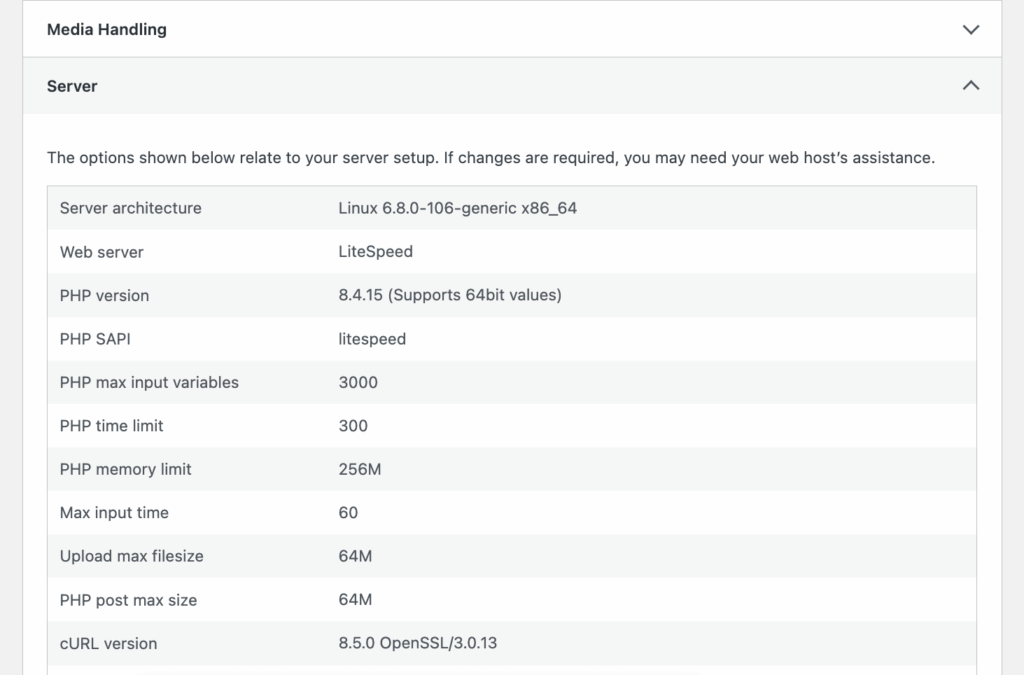
Why OpenLiteSpeed?
Most Docker-based WordPress setups use Nginx or Apache with PHP-FPM. While they work, OpenLiteSpeed (OLS) is a game-changer for WordPress. It handles massive concurrency with a tiny memory footprint and features LSCache—the most powerful caching engine available for WordPress today.
The Secret Sauce: Better Child Process Management
One of the biggest performance bottlenecks in WordPress is how the server handles PHP processes. Traditional setups use PHP-FPM, which works by having a master process manage a fixed pool of worker children. Each request is assigned to a worker. If your traffic spikes and all workers are busy, subsequent requests are either queued or fail. To fix this, you often have to manually increase the child count, which linearly increases your RAM consumption.
OpenLiteSpeed uses LSPHP (LiteSpeed PHP API), which is fundamentally more efficient than FastCGI. Here is why it handles child processes better:
- Process Group Mode: Unlike PHP-FPM where the master process can become a bottleneck, LSPHP child processes are managed in a more decoupled way. They can spawn and scale much faster in response to traffic spikes without the same overhead.
- Lower Latency: The communication between the OLS web server and the LSPHP child process is optimized for minimal latency, meaning each request is processed faster, freeing up that child process sooner for the next visitor.
- Memory Efficiency: Because of how LSPHP manages its environment, you can actually handle more concurrent visitors with the same amount of RAM compared to a standard PHP-FPM setup. It doesn’t just “add more children”; it makes each child more capable.
My project doesn’t just give you OLS; it provides a complete, performance-tuned ecosystem:
- PHP 8.4 (LSPHP): The latest and fastest PHP version.
- Valkey Object Cache: A high-performance, Redis-compatible object cache that’s automatically configured.
- Built-in SMTP: A Postfix relay sidecar so your
mail()functions actually work without slowing down your site. - Zero-Config LSCache: The LiteSpeed Cache plugin is pre-installed as an MU-plugin, meaning it’s always active and pre-tuned.
How to Install on Dokploy
Deploying this on your Dokploy instance takes less than 5 minutes. Here is the step-by-step process:
- Create a Compose Service: In your Dokploy dashboard, click Add Service > Compose.
- Point to Git: Select the “Git” input type and use this repository URL:
https://github.com/wzul/WordPress-Dokploy. - Configure the Path: Set the Compose Path to
docker-compose.yml. I also highly recommend enabling Isolated Deployment. - Add Environment Variables: This is where the magic happens. No more messy file mounts! Just add these required keys in the Environment tab:
MYSQL_ROOT_PASSWORD: Your master DB password.WORDPRESS_DB_PASSWORD: Password for the WP user.OLS_PASSWORD: Password for the OpenLiteSpeed Admin Panel (Port 7080).SERVER_HOSTNAME: Your primary domain (e.g., example.com).
- Deploy: Hit the deploy button and wait for Dokploy to build your high-performance stack!
The Power of Environment-Driven Config
The best part about this setup is that it follows 12-Factor App principles. Want to increase your upload limit? Just change WORDPRESS_UPLOAD_LIMIT=128M in Dokploy and redeploy. No need to SSH in to touch php.ini or .htaccess files. Everything from Opcache frequency to memory limits is controlled via environment variables.
Final Thoughts
If you’re looking for the absolute fastest way to run WordPress on a self-hosted VPS using Dokploy, this is it. It combines the ease of a Docker-based setup with the raw power of OpenLiteSpeed and Valkey. Give it a try and let me know how it performs for you!
Need help with advanced configurations? Check out my companion guide on Mastering File Mounts in Dokploy Compose.
Leave a Reply
You must be logged in to post a comment.